Case Study: More Sales, a Smaller Ad Share – an Amazon Seller Optimizes With Sellantica
An Amazon seller from Germany (Seller Central, marketplace DE) connected their existing campaigns to Sellantica at the end of September. Nothing had to be rebuilt. Sellantica delivered suggestions with reasoning, and the seller decided and approved. In the weeks that followed, sales grew strongly while the ad share of sales went down. Here are all the numbers, week by week.
The seller optimized with Sellantica from the end of September. In this period, total sales rose on a weekly average from about €4,450 to about €7,060 (+59%). Ad spend grew by only 16%, from about €800 to about €930. TACoS (ad spend relative to total sales) fell from 18.1% to 13.2%, ACoS according to the Amazon ads report from 31.4% to 24.4%. In other words: the ad share of sales goes down while sales grow. Comparison: four weeks before (weeks 35–38) against three weeks after (weeks 41–43, 2026). Individual result of one account, not a guaranteed result. Demand, prices and competition also affect the numbers.
The starting point
The seller sells on Amazon.de and advertises with Sponsored Ads campaigns. The campaigns were running, but almost a third of ad sales went straight back into advertising: in the four weeks before the switch, ACoS was between 29% and 36%, 31% on average. At the same time, sales were slightly declining in those weeks.
The goal: keep the existing setup, adjust bids regularly and traceably, and stop spending time on reports every day.
What changed
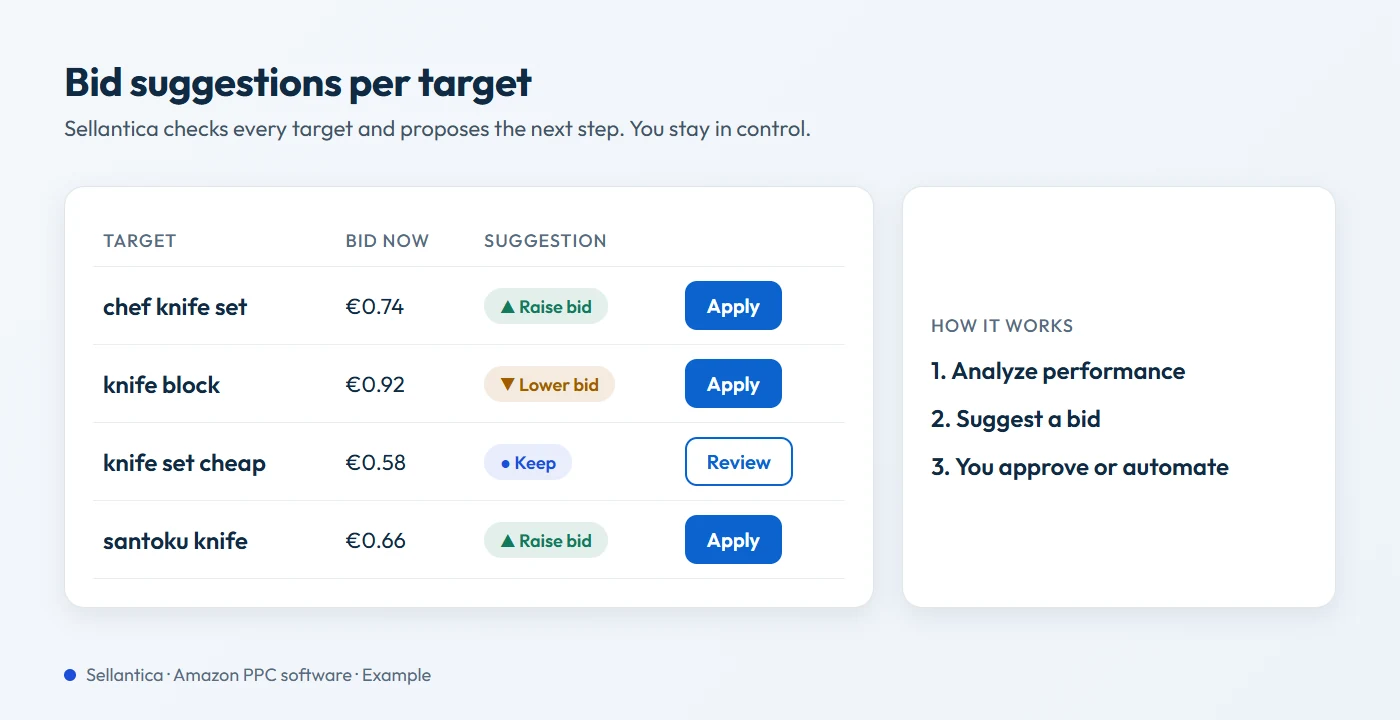
From the end of September, Sellantica analyzed the existing campaigns and made concrete suggestions. Every suggestion comes with reasoning and a confidence score. That saves time and gives confidence. The seller stayed in control: they decided what gets applied, one by one or in bulk. In about four weeks, this added up to just over 1,500 changes:
- About 880 bids raised: for keywords and product targets that sold at an acceptable ACoS and could take more visibility.
- About 230 bids lowered: where clicks were too expensive relative to sales.
- About 360 targets paused: targets that cost money over a longer period but hardly sold. Most of them were added in week 43, so their effect is barely included in the numbers below yet.
- New keywords from search terms: keyword harvesting turned well-selling search terms into their own keywords.
Far more bids were raised than lowered. The point was not to save at any cost. Budget went specifically to the targets that sell.
The numbers: before and after
All values are weekly averages for the German marketplace. Before = weeks 35–38 (Aug 24 – Sep 20, 2026), after = weeks 41–43 (Oct 5 – Oct 25, 2026). The two weeks in between (weeks 39/40) were the switch-over phase and are not included.
| Weekly average | Before (wk 35–38) | After (wk 41–43) | Change |
|---|---|---|---|
| Total sales | approx. €4,450 | approx. €7,060 | +59% |
| Ad sales | approx. €2,560 | approx. €3,830 | +50% |
| Ad spend | approx. €800 | approx. €930 | +16% |
| ACoS | 31.4% | 24.4% | -7.0 percentage points |
| TACoS | 18.1% | 13.2% | -4.9 percentage points |
The most important row is TACoS. It relates ad spend to total sales, including sales without an ad. A falling TACoS while sales grow means: every euro of advertising is matched by more total sales. More about the metric in Amazon TACoS explained.
Week by week
Full transparency: here are all the weekly values.
| Week (2026) | ACoS | TACoS | Note |
|---|---|---|---|
| Wk 35 | 29.0% | 18.7% | before |
| Wk 36 | 30.1% | 17.1% | before |
| Wk 37 | 35.9% | 19.6% | before |
| Wk 38 | 31.5% | 16.8% | before |
| Wk 39–40 | 31.7% / 25.5% | 13.4% / 13.4% | switch-over, not compared |
| Wk 41 | 21.4% | 11.4% | after |
| Wk 42 | 23.4% | 13.3% | after |
| Wk 43 | 30.5% | 15.8% | after |
The strongest signal: TACoS was lower in each of the three weeks after than in any of the four weeks before, between 11.4% and 15.8% instead of between 16.8% and 19.6%. ACoS fluctuates more from week to week, from 21.4% in week 41 to 30.5% in week 43. That is why TACoS is the metric to watch.
When you evaluate your own before-and-after numbers, always look at the individual weeks as well as the average. With only a few weeks, a single outlier can shift the average a lot. Compare periods of equal length and leave out the weeks of the switch.
What other sellers can take away
- Look at TACoS, not only ACoS: ACoS fluctuates strongly from week to week. TACoS shows whether advertising is getting cheaper relative to the whole business.
- Shift budget instead of only cutting it: More bids were raised than lowered. Sellers who only cut often lose exactly the targets that sell.
- Pause loss-makers consistently: Targets that cost money for weeks and hardly sell tie up budget that is missing elsewhere.
- Keep every change traceable: With about 1,500 changes in four weeks, you need a history that shows what was changed, when and why. Sellantica compares every optimization 14 days before and after.
How to read the numbers
- Individual result: One account, a short period. The example shows what is possible. It is not a guaranteed result, and your numbers may differ.
- Other influences: Besides bids, demand, prices, competition and stock levels also play a role. They have not been removed.
- Switch-over weeks: In weeks 39/40, TACoS was already 13.4% when only part of the changes had been applied. These weeks are not part of the comparison.
- Period: Three weeks after the switch. We will add more weeks as soon as they are available.
- Profit: Product costs are not yet stored for all products. That is why we do not state a profit figure.
Data source: Sellantica app, values of the seller profile Germany, anonymized and rounded. Ad spend, ad sales and ACoS according to the Amazon ads report (Sponsored Products, 14-day attribution), total sales from Amazon order data. The seller's name, products and account identifiers are not disclosed.
Optimize your campaigns with clear suggestions
Sellantica analyzes your existing campaigns and suggests bid changes with reasoning and a confidence score. You decide what gets applied. That saves time, and you stay in control. Try free for 30 days, no credit card required.
Start freeFrequently asked questions
What is the difference between ACoS and TACoS?
ACoS divides ad spend by the sales that came through ads. TACoS divides ad spend by total sales, including organic sales. TACoS therefore shows better how much your whole business depends on advertising.
Why is TACoS more meaningful than ACoS in this example?
Because it shows the whole business. TACoS was lower in every week after the switch than in any week before. ACoS, by contrast, fluctuated between 21% and 36% from week to week. TACoS is the clearer and more stable signal here.
Did Sellantica apply the changes on its own?
No, the seller stayed in control. They reviewed and approved the suggestions, one by one or in bulk. If you want to hand off more routine work, you can also use autopilot mode, with an objection period, daily limits and rollback. It was not used in this example.
Can I expect similar results?
The example shows what is possible. It is not a guaranteed result, and your numbers may differ. How much ACoS and TACoS change depends on assortment, listing quality, budget and starting point. The best way to find out is to try it with your own campaigns, free for 30 days.
Do I have to rebuild my campaigns for Sellantica?
No. Sellantica works with your existing campaigns. In this example, they were kept and optimized further. If needed, you can also create new campaigns with 1-click setup, each with preview and approval.
Conclusion
The seller optimized with Sellantica and invested more specifically in targets that sell. In the same period, sales grew by 59% and ad spend by only 16%. TACoS fell from 18.1% to 13.2% and was lower in every week after than in any week before. ACoS fluctuates more from week to week. The example shows what is possible: clear suggestions with reasoning, less time in reports, and the seller stays in control. We will add more weeks as soon as they are available.